A Faster BuddyX Chat Tab
We’ve upgraded the BuddyX Chat Tab to make everyday chatting faster and easier.Instead of relying fully on the standard OnlyFans chat list, BuddyX ...
Shift Planner is a new scheduling tool built right into BuddyX. It gives creators and managers full control over team scheduling while giving team members a clear view of their shifts — and the ability to pick up open shifts on their own.
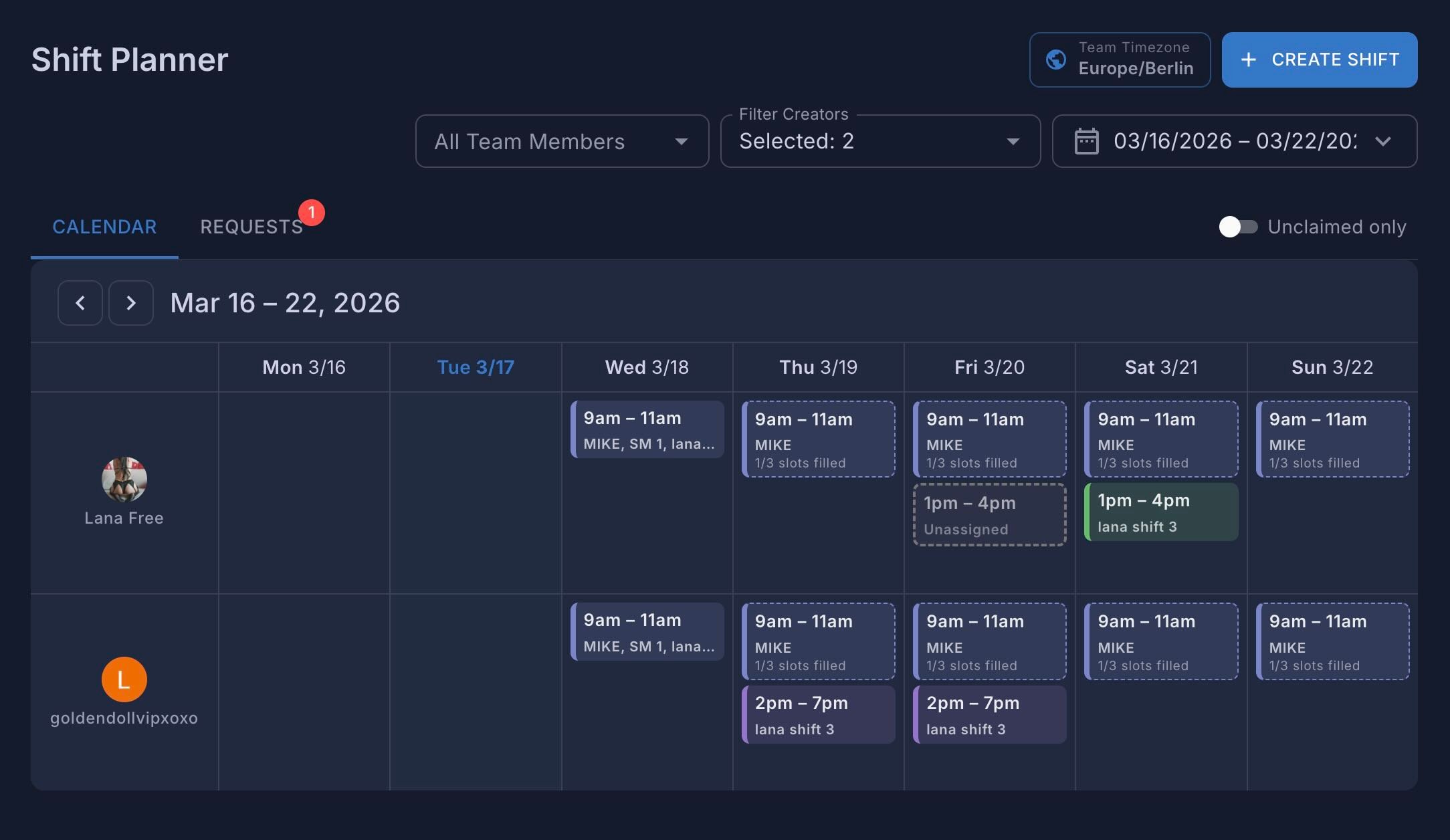
Before you start creating shifts, you’ll need to set up your team’s timezone.
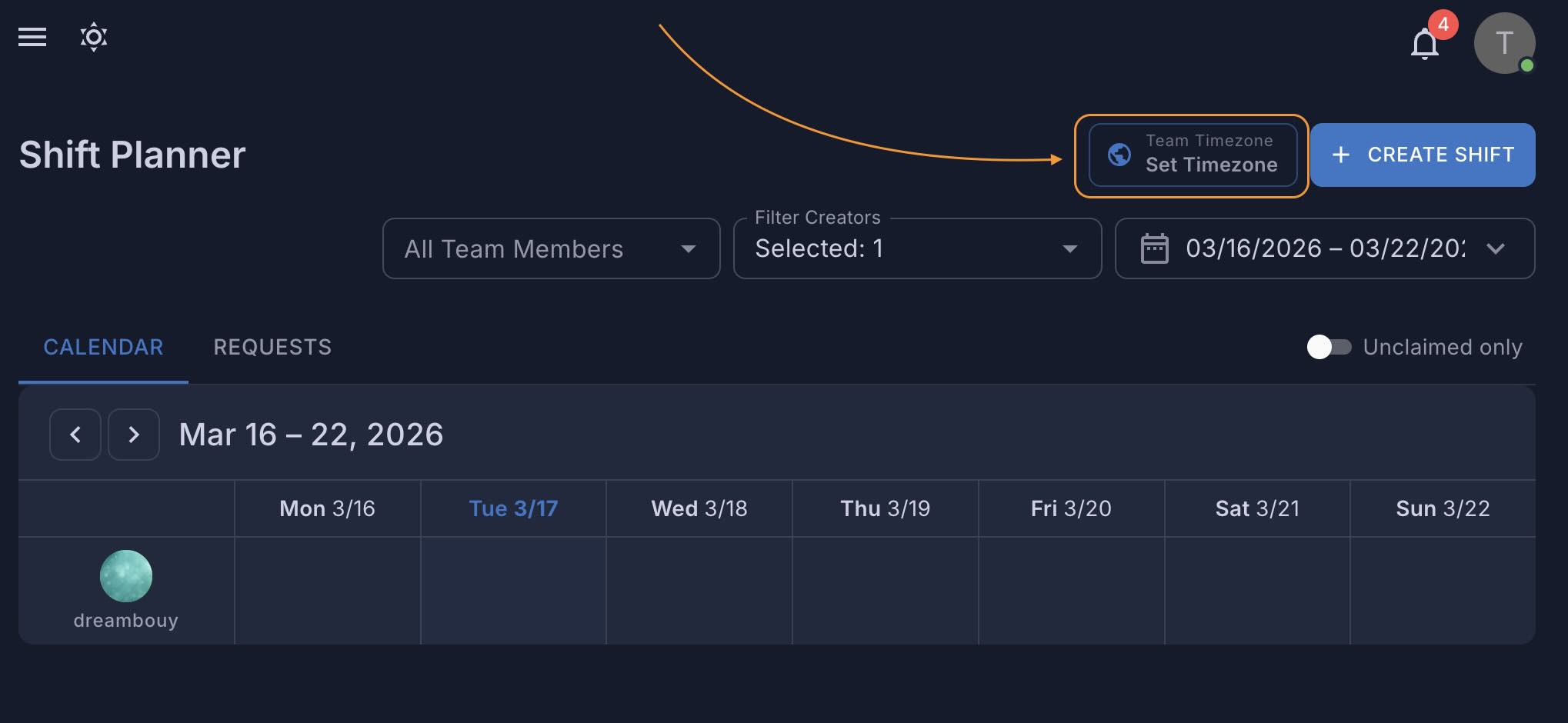
Your team’s timezone is now set.
Shift Planner gives you a weekly calendar view by creator, so you can:
Creating a shift is simple:
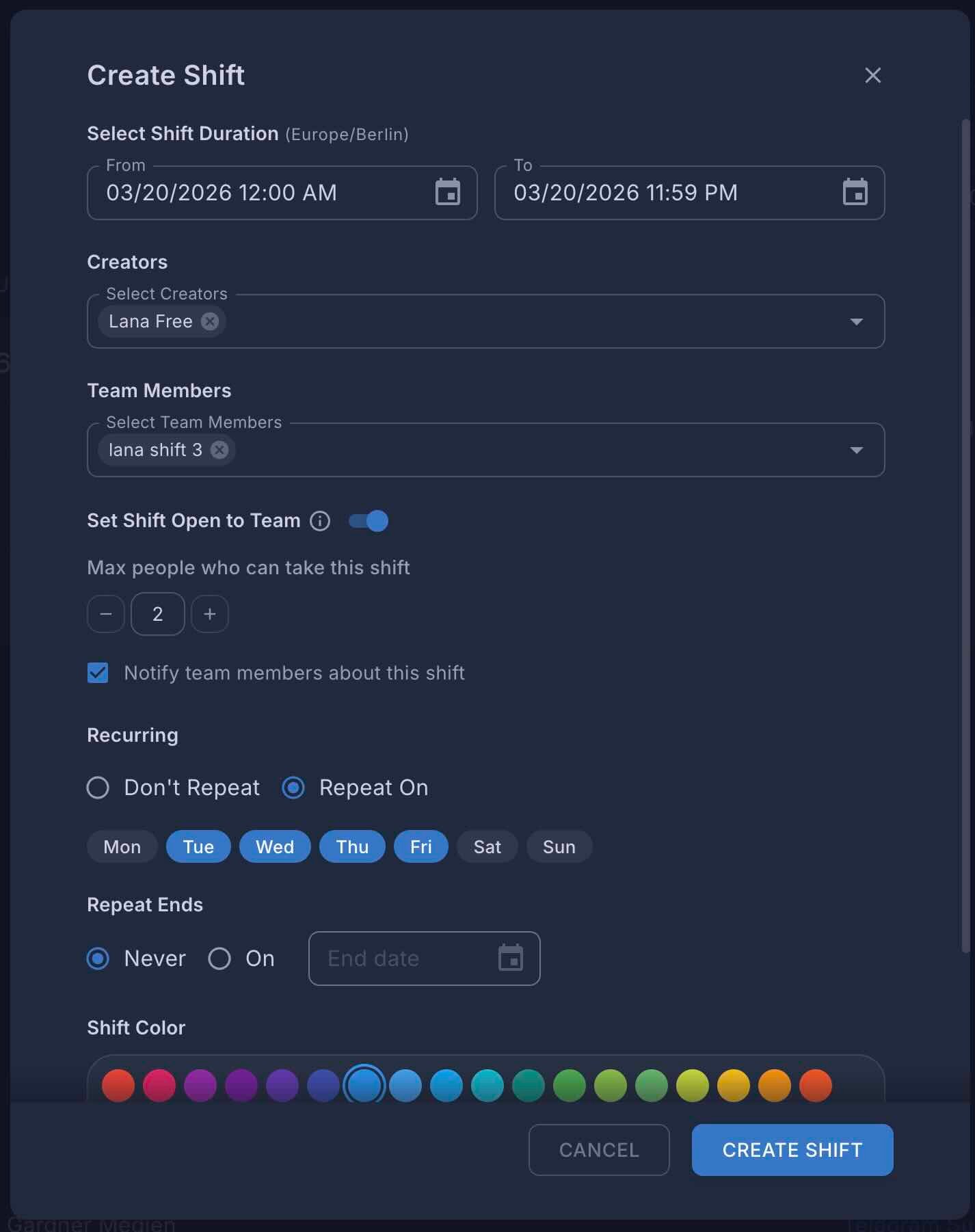
You can also create recurring shifts — like every Monday, Wednesday, and Friday — with the option to run indefinitely or end on a specific date. You can edit or delete a single day without touching the rest of the series. Or update all occurrences at once.

Sometimes you want to let your team decide who takes a shift. That’s where Open Shifts come in.
When a shift is open, you’ll see a slot counter on the shift card — like “2/5 slots filled”.
You can enable this even for fully assigned shifts, so if someone drops it, the shift becomes available for others to pick up.
note
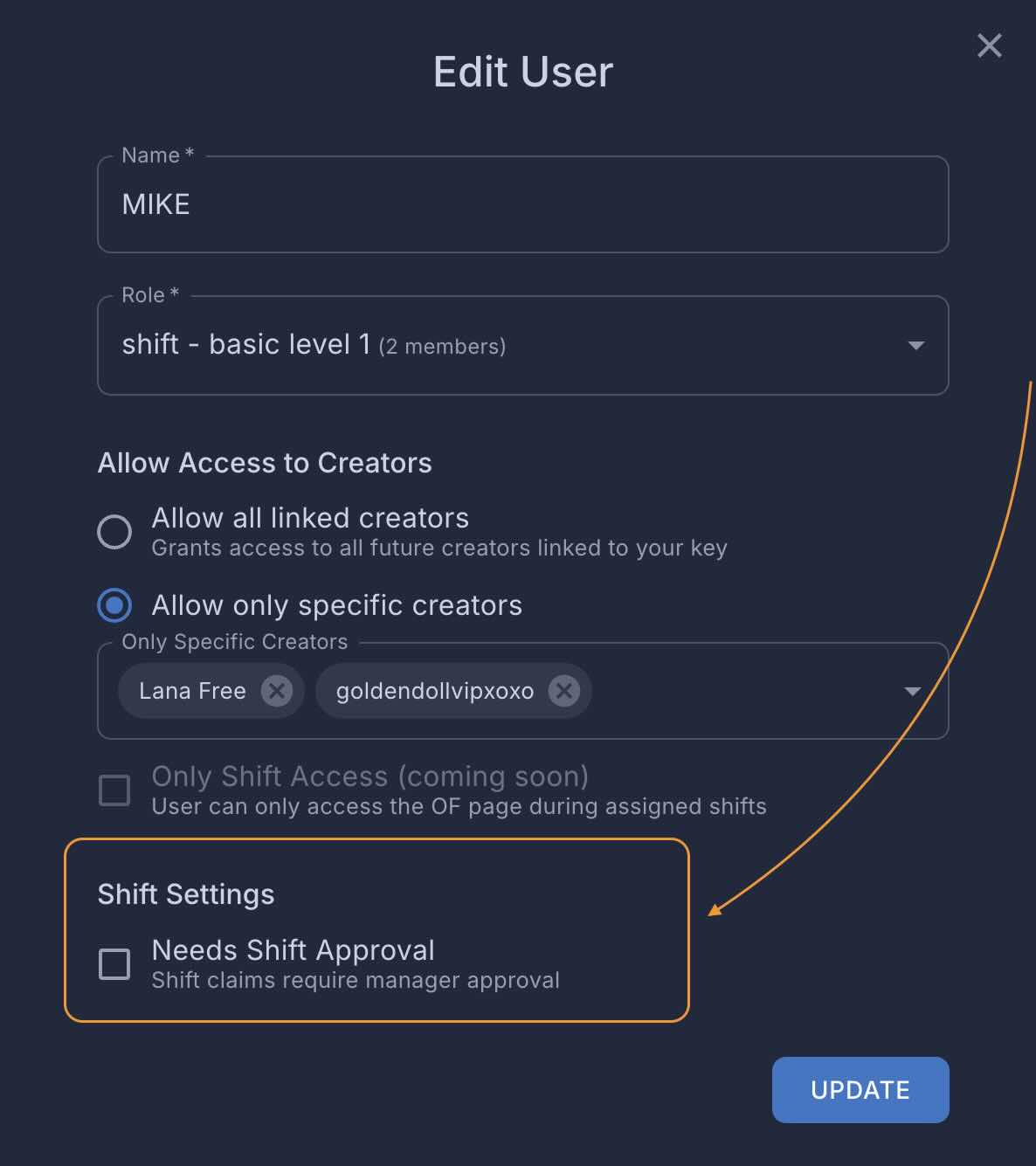
You can edit team members settings to require approval for a shift. You’ll see all pending requests in the Requests tab, where you can approve or deny them.
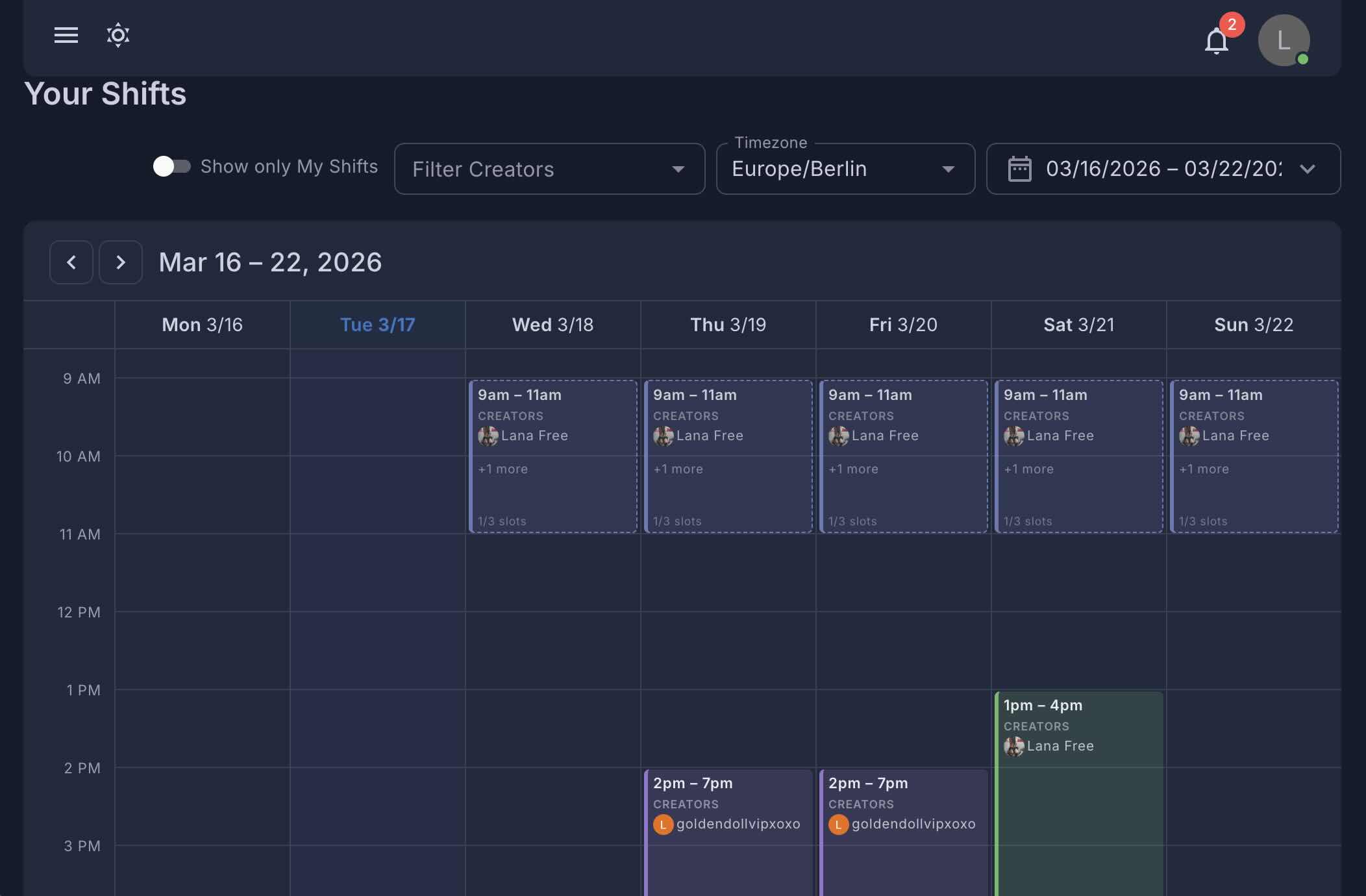
Each team member gets their own view:
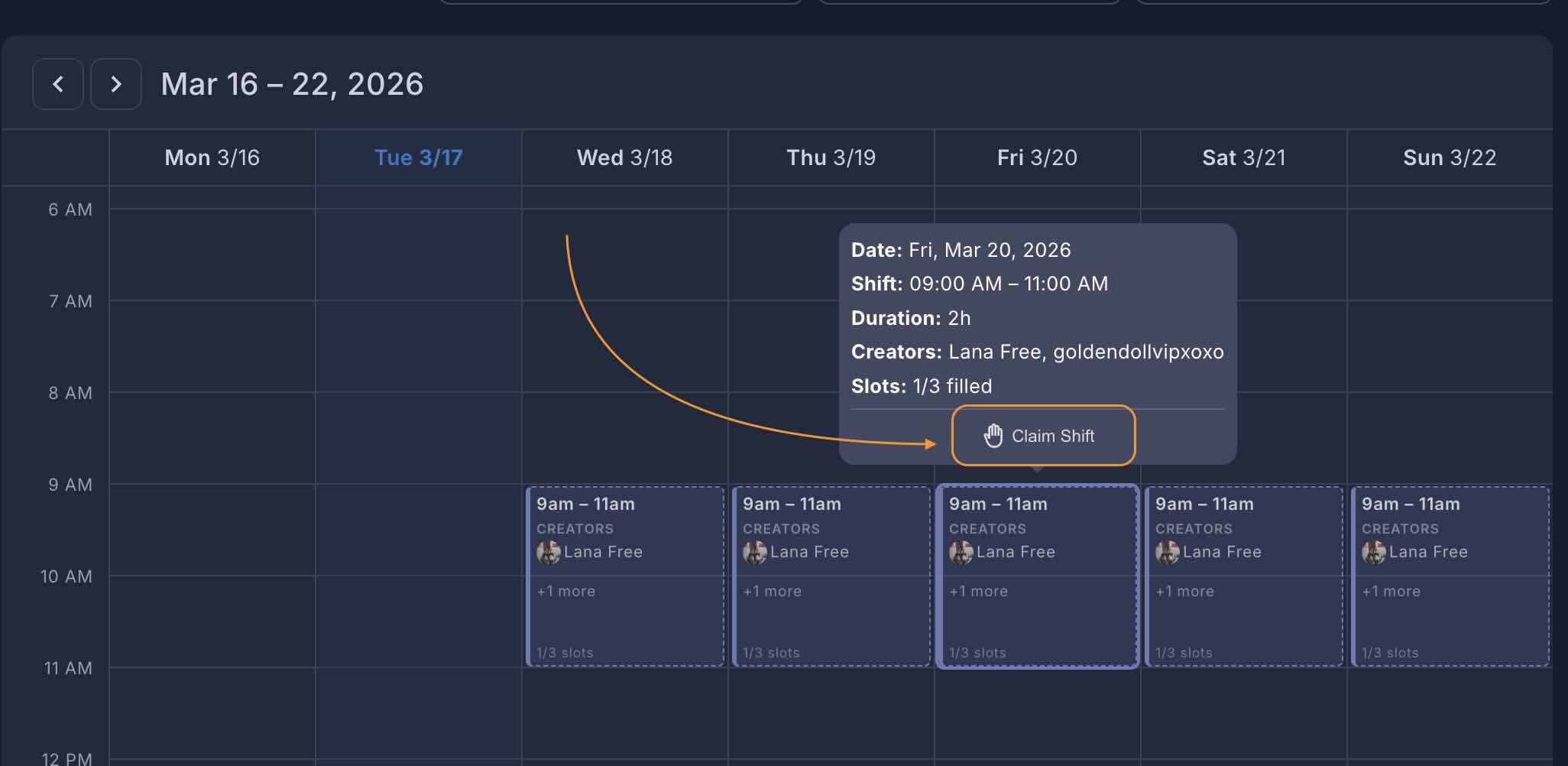
How to claim a shift:
How to drop a shift:
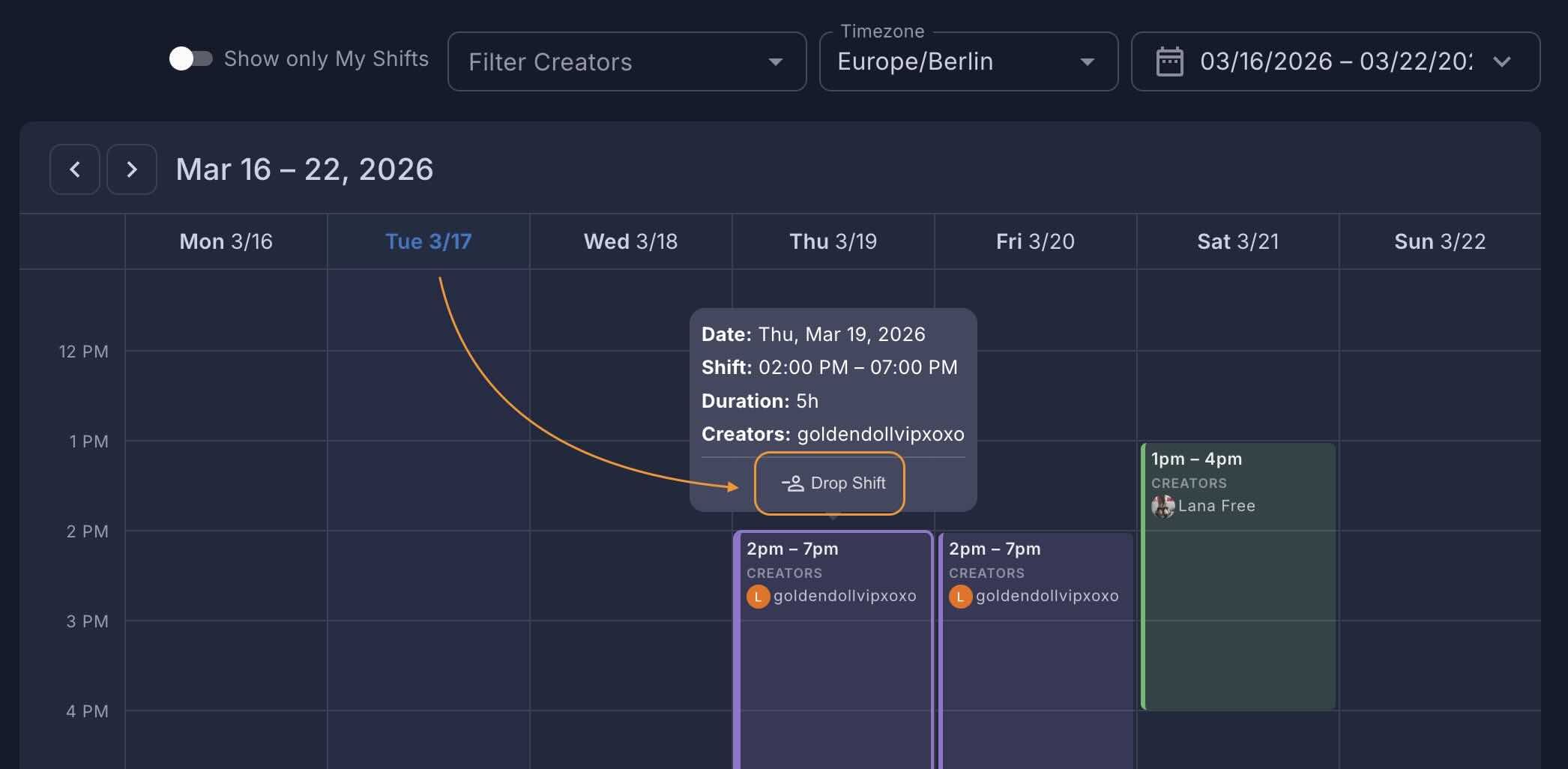
Dropping a shift is just as simple. If a team member can no longer work a shift, they can drop it directly from their calendar. If the shift is open, the slot becomes available for someone else to pick up.
Notifications keep everyone informed.
We’d love to hear how Shift Planner works for your team. Reach out to us with feedback or feature requests — we’re already planning what’s next.