A Faster BuddyX Chat Tab
We’ve upgraded the BuddyX Chat Tab to make everyday chatting faster and easier.Instead of relying fully on the standard OnlyFans chat list, BuddyX ...
Never miss a moment when a fan spends on your page. With push notifications for tips and PPV purchases, you’ll be instantly alerted whenever a fan buys or tips — so you can jump in and reply quickly.
You can enable notifications either globally for all creators or individually per creator page, depending on your workflow.
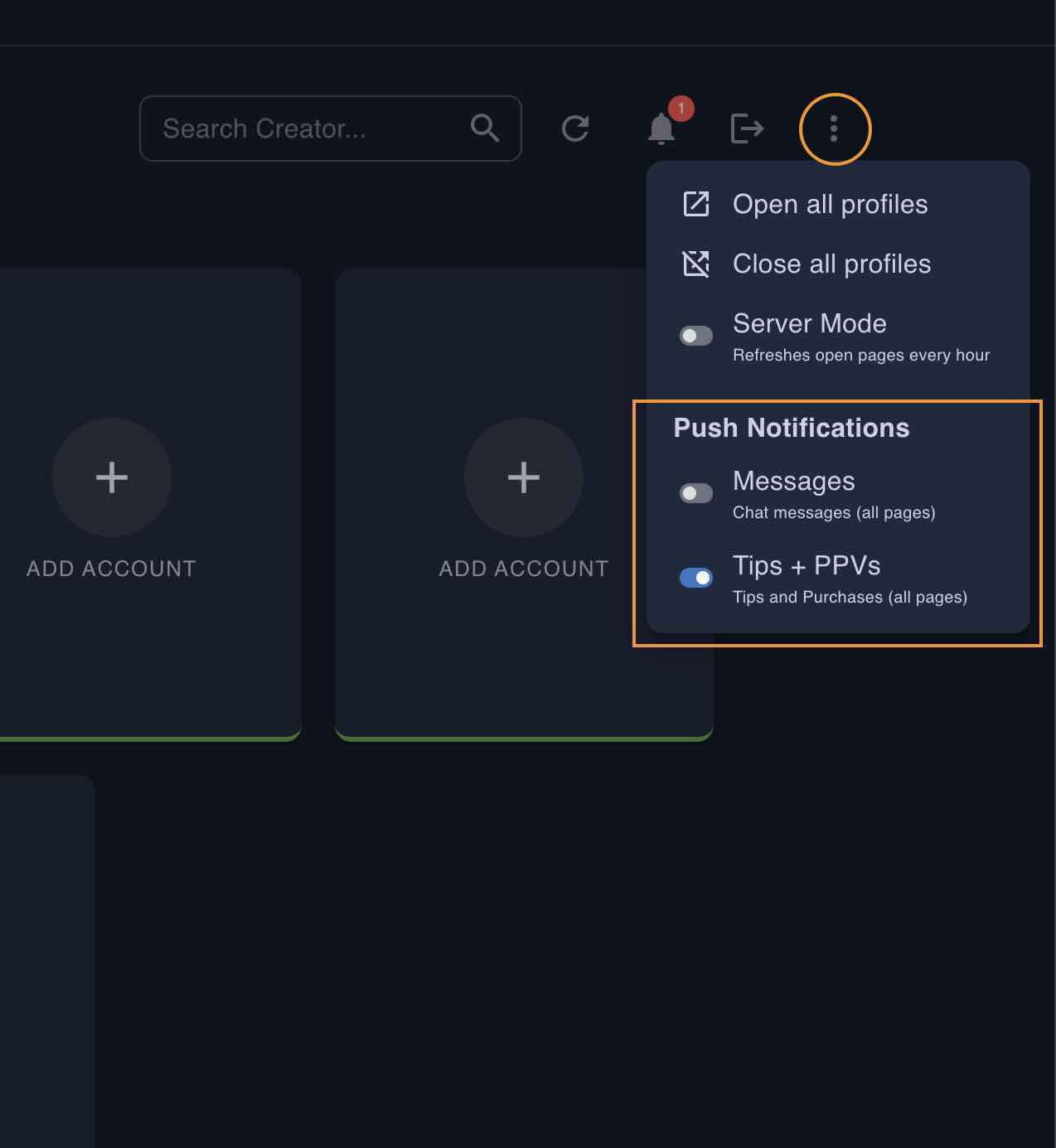
This is ideal if you only want notifications for select pages — such as low-traffic accounts — so you can stay focussed on bigger pages and only go to low-traffic accounts when needed.
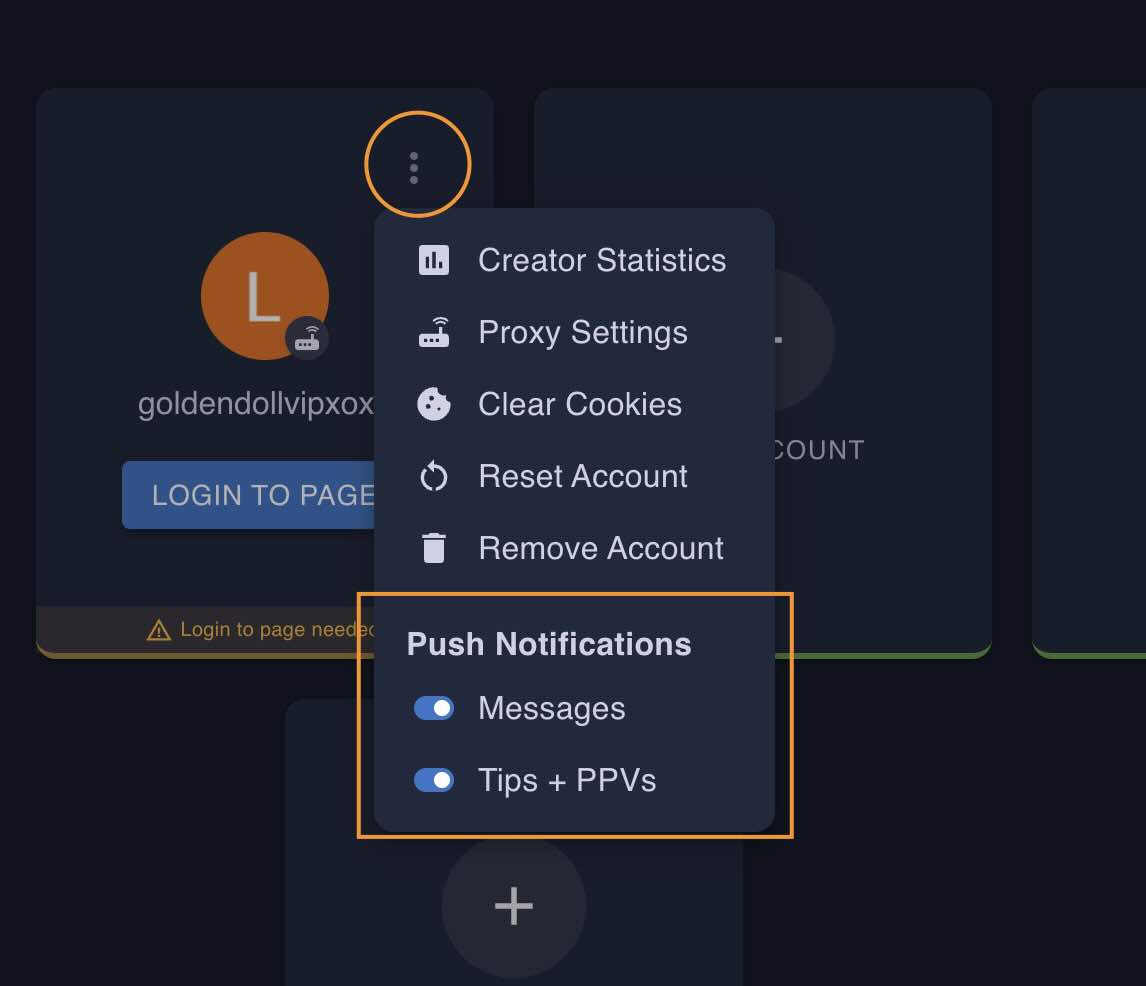
Push notifications are device-based, which means each team member or chatter needs to enable them individually on their own device/browser.
You can choose how notifications behave in your System Settings:
If you have any questions or need help setting this up, feel free to reach out to us on Telegram.