Measure Daily Revenue Perfomance
The Daily Performance Chart on the [BuddyX Dashboard](https://dashboard.buddyx.app/), is a comprehensive view that gives you a complete overview of ...
BuddyX now lets you create shareable links for your Free Trial Links (FTL) and Tracking Links (TL) so you can share real-time performance data with anyone you want - no BuddyX account required.
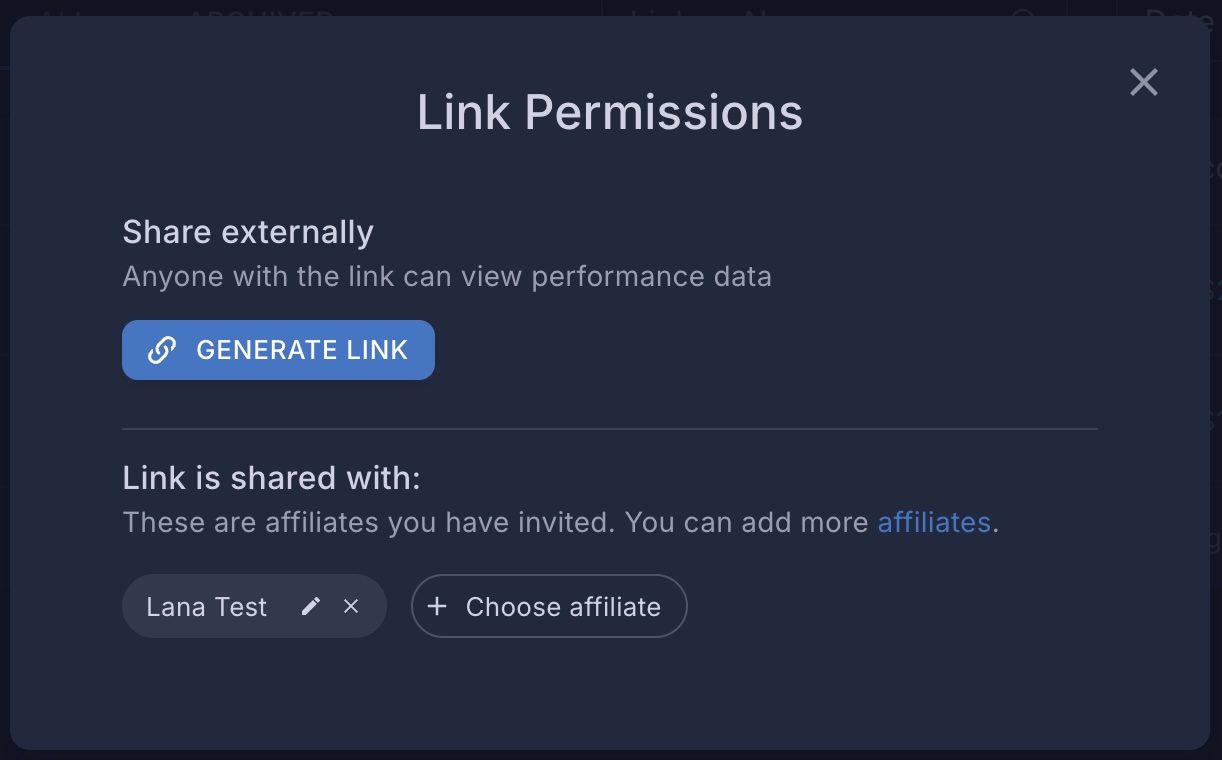
Go to Free Trial Links or Tracking Links from the Creator Analytics menu.
Find the link you want to share and click the three-dot menu (⋮) on the row.
Select Share.
In the Share dialog, click Generate Link to create a unique public URL.
Copy the generated link and send it to anyone you’d like to share performance data with.
On the public page, you can view key metrics like subscriber / claim count, revenue etc. directly — no login required. It also includes a calendar, allowing you to filter performance data by specific time periods.
All data is displayed in UTC to ensure consistency across time zones.
Each shareable link is unique and tied to a specific FTL or TL. If you generate a new link for the same FTL/TL, the previous one is automatically deactivated.
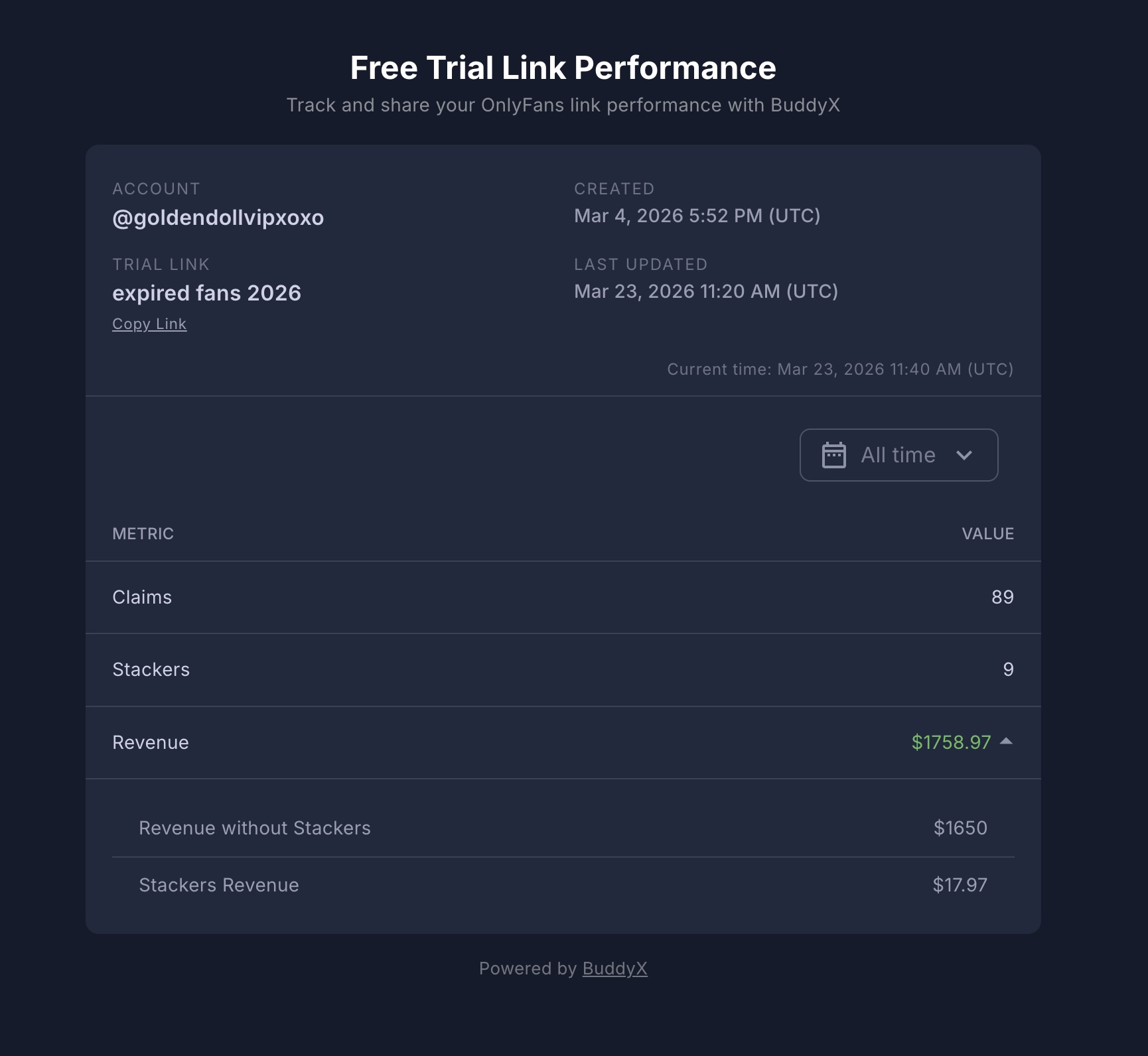
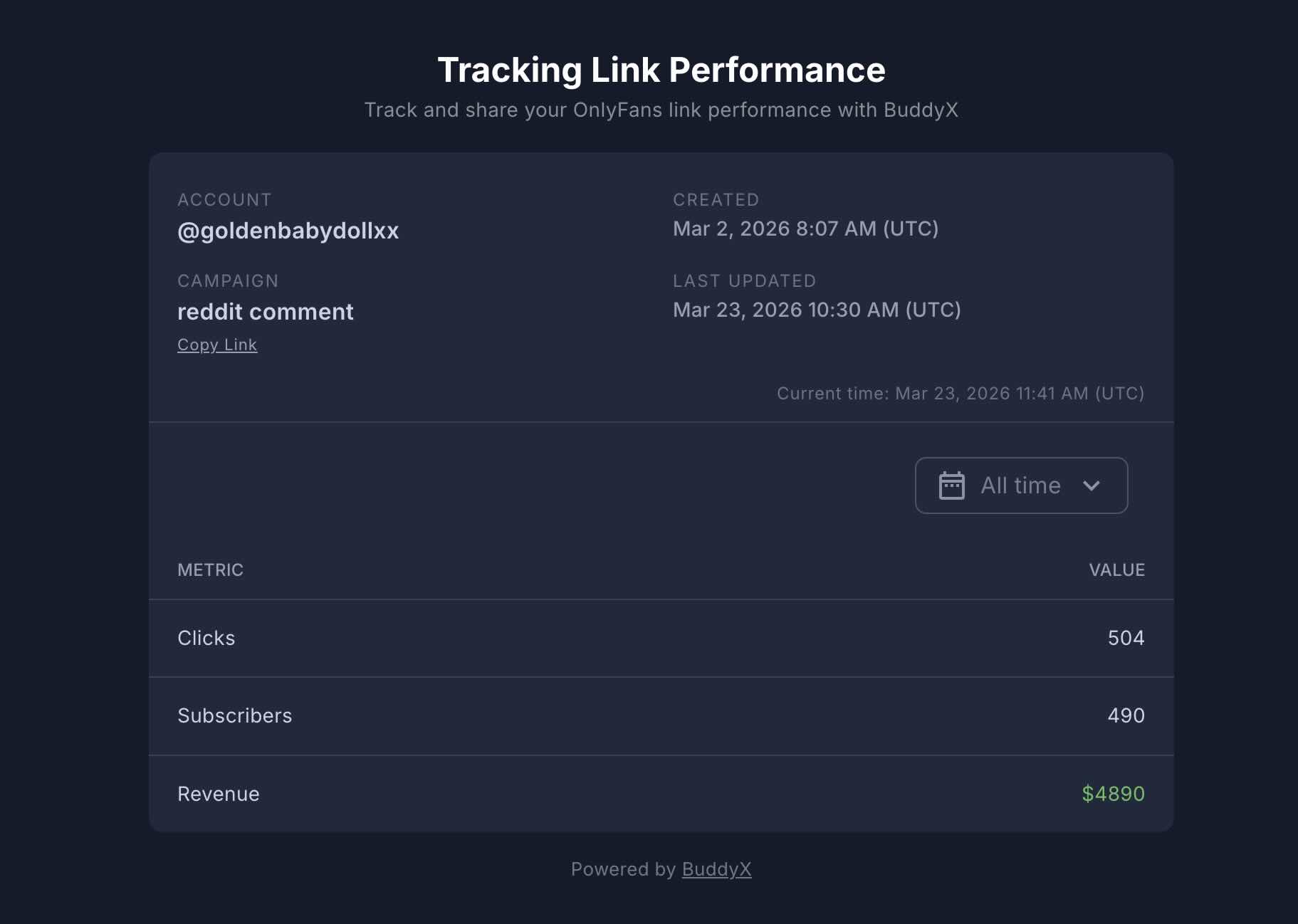
You can see every shareable link that has been created across all your creators in one place:
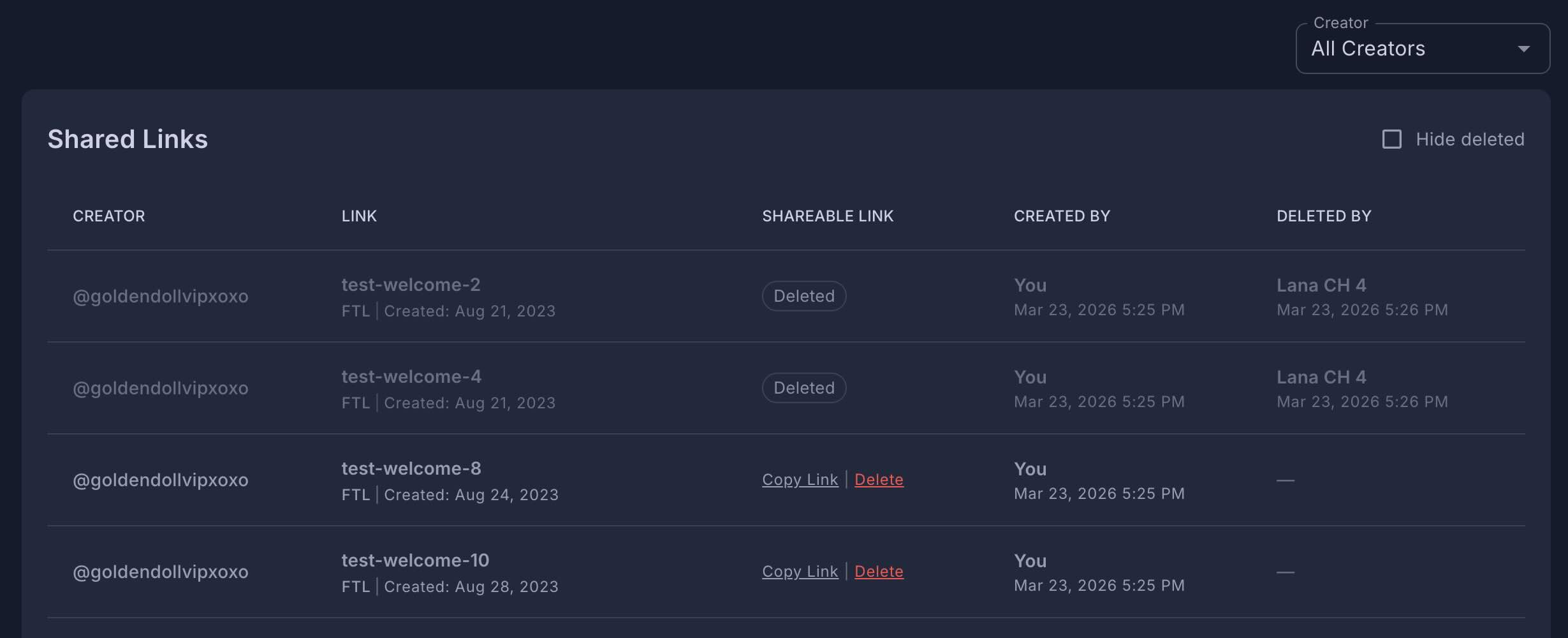
You can access this page by clicking the Shared Links button on the Free Trial Links or Tracking Links pages.
The Shared Links page displays a table with the following information for each link: