A Faster BuddyX Chat Tab
We’ve upgraded the BuddyX Chat Tab to make everyday chatting faster and easier.Instead of relying fully on the standard OnlyFans chat list, BuddyX ...
We’ve upgraded the BuddyX Chat Tab to make everyday chatting faster and easier.
Instead of relying fully on the standard OnlyFans chat list, BuddyX now uses a lightweight chat interface designed to reduce lag and make it quicker to move through conversations.
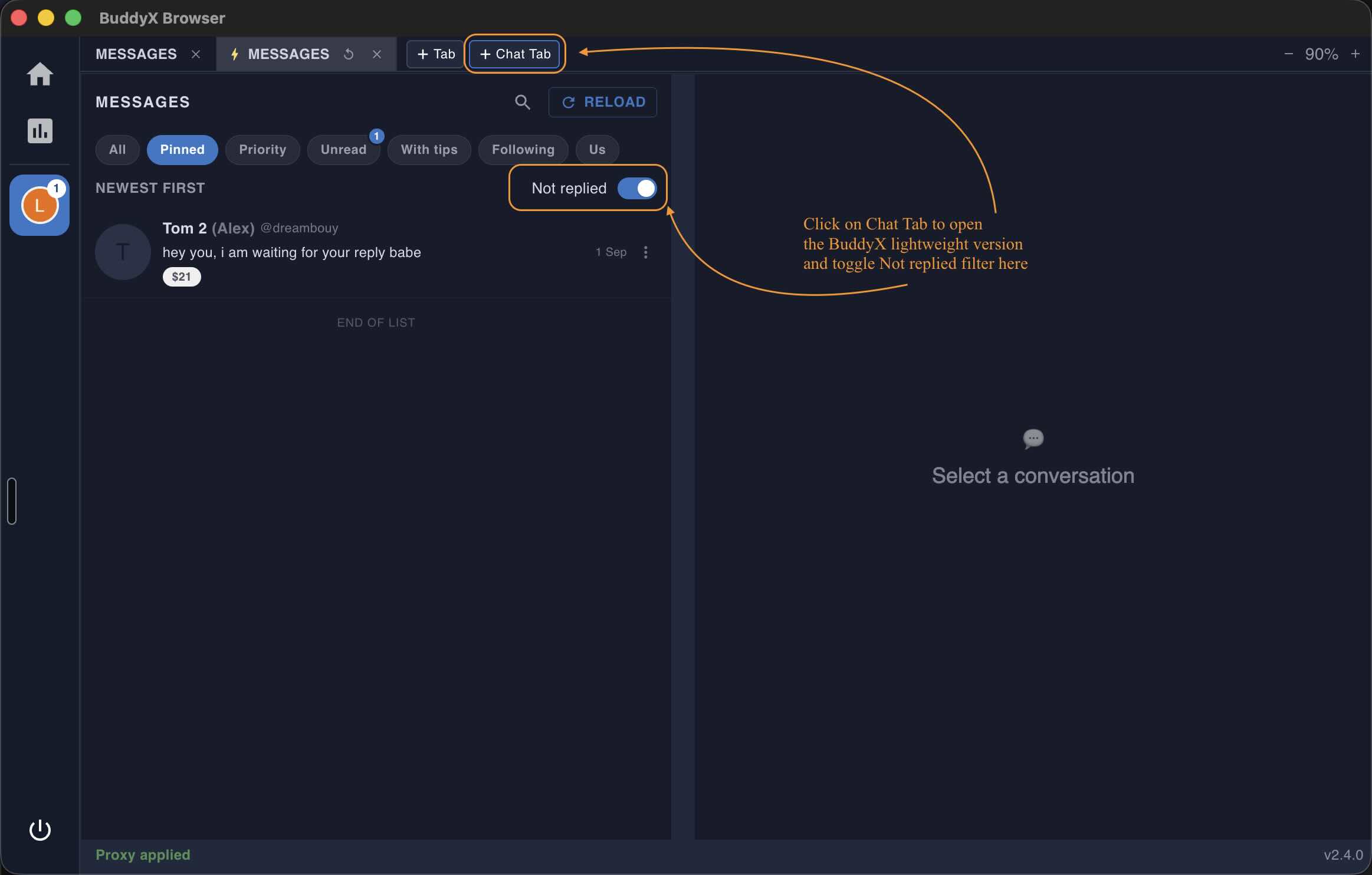
The new Chat Tab is built to feel smoother and more responsive, especially on busy accounts with lots of conversations.
Use the new Not replied filter to only show chats where the fan is still waiting for a response.
This makes it easier to spot conversations that need attention without scrolling through your entire inbox.
Hover over a chat to instantly preview the latest message — without having to open the conversation first.
It’s a quick way to scan your inbox and decide which chats you want to jump into.
The Chat Tab is now a faster, more focused workspace for chatting, while regular BuddyX tabs still give you access to the full OnlyFans interface.